
2023年11月23日

换了服务器和域名,本来想着直接迁移。但是原来的是8.0的数据库,弄不到5.7,就放弃了,后面慢慢补文章 

随机小姐姐
简介:示例
连续: 开
换一个
(function (window, document) {
if (top != self) {
window.top.location.replace(self.location.href);
}
var get = function (id) {
return document.getElementById(id);
}
var bind = function (element, event, callback) {
return element.addEventListener(event, callback);
}
var auto = true;
var player = get('player');
var randomm = function () {
player.src = 'http://v.nrzj.vip/video.php?_t=' + Math.random();
player.play();
}
bind(get('next1'), 'click', randomm);
bind(player, 'error', function () {
randomm();
});
bind(get('switch'), 'click', function () {
auto = !auto;
this.innerText = '连续: ' + (auto ? '开' : '关');
});
bind(player, 'ended', function () {
if (auto) randomm();
});
})(window, document);
var _hmt = _hmt || [];(function() {var hm = document.createElement("script");hm.src = "https://hm.baidu.com/hm.js?a8569fd6981018f096d774868306a054";var s = document.getElementsByTagName("script")[0]; s.parentNode.insertBefore(hm, s);})();
#switch,#next1{
background: #7F9CCC;
color:#fff;
line height:40px;
text align:center;
width:100px;
border:none;
margin:0 6px;
border radius:6px;
font weight:bold;
}
代码{hide}<div>
<section id="main">
<video id="player" src="http://v.nrzj.vip/video.php" controls="controls" width="100%" height="400px"></video>
</section>
</div>
<div style="text align: center;">
<section id="buttons">
<button id="switch">连续: 开</button>
<button id="next1">换一个</button>
</section>
</div>
<script src="https://hm.baidu.com/hm.js?a8569fd6981018f096d774868306a054
<script>
(function (window, document) {
if (top != self) {
window.top.location.replace(self.location.href);
}
var get = function (id) {
return document.getElementById(id);
}
var bind = function (element, event, callback) {
return element.addEventListener(event, callback);
}
var auto = true;
var player = get('player');
var randomm = function () {
player.src = 'http://v.nrzj.vip/video.php?_t=' + Math.random();
player.play();
}
bind(get('next1'), 'click', randomm);
bind(player, 'error', function () {
randomm();
});
bind(get('switch'), 'click', function () {
auto = !auto;
this.innerText = '连续: ' + (auto ? '开' : '关');
});
bind(player, 'ended', function () {
if (auto) randomm();
});
})(window, document);</script>
<script>var _hmt = _hmt || [];(function() {var hm = document.createElement("script");hm.src = "https://hm.baidu.com/hm.js?a8569fd6981018f096d774868306a054";var s = document.getElementsByTagName("script")[0]; s.parentNode.insertBefore(hm, s);})();</script>
<style>
#switch,#next1{
background: #7F9CCC;
color:#fff;
line height:40px;
text align:center;
width:100px;
border:none;
margin:0 6px;
border radius:6px;
font weight:bold;
}
</style>
AI工具分享【一】

简介:AI 工具大全🎚️AI文本ChatGPT:https://chat.openai.comNotionAI:https://www.notion.so/product/aiA.I. Data Sidekick:AI工具编写 SQL、文档等的速度提高10倍https://www.airops.comWritesonic:人工智能写作辅助https://writesonic.comcopy.ai:使用 AI 编写更好的营销文案和内容https://www.copy.aiCharacter.AI:AI人工交互https://beta.character.aiFireflies:该工具可插入 Zoom、Teams 或 Webex 等流行的视频会议工具,并自动执行做笔记和创建转录的过程https://fireflies.aiJasper: AI文案写作https://www.jasper.aiOutplay:https://outplayhq.comCoWriter:AI辅助写作https://cowriter.org/login🎨AI绘画Midjourney:AI绘画网站:https://www.midjourney.com教程:https://www.uisdc.com/midjourneyPhotoRoom:擦除任何背景、对象https://www.photoroom.com造梦师:只需一句话,让你的文字变成画作https://printidea.artARC Lab:一款提供照片修复、抠图、画质增强的在线工具https://arc.tencent.com/zh/ai demos/faceRestorationArtbreeder:人工智能合成创意https://www.artbreeder.comStockimg AI:生成各种各样的设计元素,包括logo、插画、图片等https://stockimg.ainiji·journey:二次元ai绘画https://nijijourney.com/zhGetimg.ai:关键词生成图片的AIhttps://getimg.aiDreamlike.art:AI图像生成https://dreamlike.art文心一格 飞桨:AI艺术和创意辅助平台https://yige.baidu.comPhygital+:AI图像生成https://phygital.plusBeautiful.ai:AI生成PPThttps://www.beautiful.ai🎶AI音频Brain.fm:专注、放松、冥想和睡眠,聆听为您的大脑量身打造的音乐https://www.brain.fmSoundraw:生成音乐https://soundraw.ioEndel:个性化背景音,帮助您集中注意力、放松和睡眠https://endel.ioRiffusion:实时音乐和音频生成库https://www.riffusion.comhttps://github.com/riffusion/riffusionPapercup:人工智障配音和视频翻译软件https://www.papercup.comLALAL.AI:从任何音频和视频中提取人声、伴奏和各种乐器https://www.lalal.aiMurf:使用多功能AI语音生成器从文本到语音https://murf.aiPolyAI:语音助手https://poly.aiVoicemod:语音实时变声器https://www.voicemod.net/zhBoomy:生成音乐https://boomy.comMubert:生成音乐https://mubert.com🎞AI视频Runway: AI 魔法https://runwayml.comCascadeur:人工智障辅助关键帧动画软件https://cascadeur.comSynthesia:视频生成https://www.synthesia.ioPollinations:文本转视频、图片https://pollinations.aiZubtitle:为视频添加字幕和在线编辑视频https://zubtitle.comMunch:提取视频中最引人入胜、最流行和最有影响力的片段https://www.getmunch.comFliki:将文本变成带有 AI 语音的视频https://fliki.aiPeech:个性化自动视频编辑和管理平台https://www.peech ai.comDreamFace:AI 动画照片应用程序https://dreamfaceapp.comD ID:视频生成https://www.d id.com ✅分享是世界上最高级的浪漫!!

随机小姐姐

简介:示例
连续: 开
换一个
(function (window, document) {
if (top != self) {
window.top.location.replace(self.location.href);
}
var get = function (id) {
return document.getElementById(id);
}
var bind = function (element, event, callback) {
return element.addEventListener(event, callback);
}
var auto = true;
var player = get('player');
var randomm = function () {
player.src = 'http://v.nrzj.vip/video.php?_t=' + Math.random();
player.play();
}
bind(get('next1'), 'click', randomm);
bind(player, 'error', function () {
randomm();
});
bind(get('switch'), 'click', function () {
auto = !auto;
this.innerText = '连续: ' + (auto ? '开' : '关');
});
bind(player, 'ended', function () {
if (auto) randomm();
});
})(window, document);
var _hmt = _hmt || [];(function() {var hm = document.createElement("script");hm.src = "https://hm.baidu.com/hm.js?a8569fd6981018f096d774868306a054";var s = document.getElementsByTagName("script")[0]; s.parentNode.insertBefore(hm, s);})();
#switch,#next1{
background: #7F9CCC;
color:#fff;
line height:40px;
text align:center;
width:100px;
border:none;
margin:0 6px;
border radius:6px;
font weight:bold;
}
代码{hide}<div>
<section id="main">
<video id="player" src="http://v.nrzj.vip/video.php" controls="controls" width="100%" height="400px"></video>
</section>
</div>
<div style="text align: center;">
<section id="buttons">
<button id="switch">连续: 开</button>
<button id="next1">换一个</button>
</section>
</div>
<script src="https://hm.baidu.com/hm.js?a8569fd6981018f096d774868306a054
<script>
(function (window, document) {
if (top != self) {
window.top.location.replace(self.location.href);
}
var get = function (id) {
return document.getElementById(id);
}
var bind = function (element, event, callback) {
return element.addEventListener(event, callback);
}
var auto = true;
var player = get('player');
var randomm = function () {
player.src = 'http://v.nrzj.vip/video.php?_t=' + Math.random();
player.play();
}
bind(get('next1'), 'click', randomm);
bind(player, 'error', function () {
randomm();
});
bind(get('switch'), 'click', function () {
auto = !auto;
this.innerText = '连续: ' + (auto ? '开' : '关');
});
bind(player, 'ended', function () {
if (auto) randomm();
});
})(window, document);</script>
<script>var _hmt = _hmt || [];(function() {var hm = document.createElement("script");hm.src = "https://hm.baidu.com/hm.js?a8569fd6981018f096d774868306a054";var s = document.getElementsByTagName("script")[0]; s.parentNode.insertBefore(hm, s);})();</script>
<style>
#switch,#next1{
background: #7F9CCC;
color:#fff;
line height:40px;
text align:center;
width:100px;
border:none;
margin:0 6px;
border radius:6px;
font weight:bold;
}
</style>
AI工具分享【一】

简介:AI 工具大全🎚️AI文本ChatGPT:https://chat.openai.comNotionAI:https://www.notion.so/product/aiA.I. Data Sidekick:AI工具编写 SQL、文档等的速度提高10倍https://www.airops.comWritesonic:人工智能写作辅助https://writesonic.comcopy.ai:使用 AI 编写更好的营销文案和内容https://www.copy.aiCharacter.AI:AI人工交互https://beta.character.aiFireflies:该工具可插入 Zoom、Teams 或 Webex 等流行的视频会议工具,并自动执行做笔记和创建转录的过程https://fireflies.aiJasper: AI文案写作https://www.jasper.aiOutplay:https://outplayhq.comCoWriter:AI辅助写作https://cowriter.org/login🎨AI绘画Midjourney:AI绘画网站:https://www.midjourney.com教程:https://www.uisdc.com/midjourneyPhotoRoom:擦除任何背景、对象https://www.photoroom.com造梦师:只需一句话,让你的文字变成画作https://printidea.artARC Lab:一款提供照片修复、抠图、画质增强的在线工具https://arc.tencent.com/zh/ai demos/faceRestorationArtbreeder:人工智能合成创意https://www.artbreeder.comStockimg AI:生成各种各样的设计元素,包括logo、插画、图片等https://stockimg.ainiji·journey:二次元ai绘画https://nijijourney.com/zhGetimg.ai:关键词生成图片的AIhttps://getimg.aiDreamlike.art:AI图像生成https://dreamlike.art文心一格 飞桨:AI艺术和创意辅助平台https://yige.baidu.comPhygital+:AI图像生成https://phygital.plusBeautiful.ai:AI生成PPThttps://www.beautiful.ai🎶AI音频Brain.fm:专注、放松、冥想和睡眠,聆听为您的大脑量身打造的音乐https://www.brain.fmSoundraw:生成音乐https://soundraw.ioEndel:个性化背景音,帮助您集中注意力、放松和睡眠https://endel.ioRiffusion:实时音乐和音频生成库https://www.riffusion.comhttps://github.com/riffusion/riffusionPapercup:人工智障配音和视频翻译软件https://www.papercup.comLALAL.AI:从任何音频和视频中提取人声、伴奏和各种乐器https://www.lalal.aiMurf:使用多功能AI语音生成器从文本到语音https://murf.aiPolyAI:语音助手https://poly.aiVoicemod:语音实时变声器https://www.voicemod.net/zhBoomy:生成音乐https://boomy.comMubert:生成音乐https://mubert.com🎞AI视频Runway: AI 魔法https://runwayml.comCascadeur:人工智障辅助关键帧动画软件https://cascadeur.comSynthesia:视频生成https://www.synthesia.ioPollinations:文本转视频、图片https://pollinations.aiZubtitle:为视频添加字幕和在线编辑视频https://zubtitle.comMunch:提取视频中最引人入胜、最流行和最有影响力的片段https://www.getmunch.comFliki:将文本变成带有 AI 语音的视频https://fliki.aiPeech:个性化自动视频编辑和管理平台https://www.peech ai.comDreamFace:AI 动画照片应用程序https://dreamfaceapp.comD ID:视频生成https://www.d id.com ✅分享是世界上最高级的浪漫!!
STM32CubeMX闪退解决记录
简介:前言我电脑是Mac系统(使用PD虚拟机安装Windows),在正常安装STM32CubeMX软件后出现直接闪退,就一个软件的“开屏动画”,没有正常启动软件前几天在CSDN上找到了解决方向并成功启动软件,在这里也感谢一下_Stellar【QAQ】实践解决方向我们平时在遇到问题时,一定要有一个大致的方向,明确问题,知道如何正确的提问检查Java环境配置我就是由于java环境的问题导致,java和javac版本不一样1.代码 java version
javac version【如果第二个指令报错则更改成javac version】2.修改 set java_home=C:\Program Files\Java\jdk1.8.0_261 【安装JDK的根目录】
set classpath=%JAVA_HOME%\lib\tools.jar;%JAVA_HOME%\lib\dt.jar;
set path=%JAVA_HOME%\bin;继续在终端输入以上两条指令查看版本是否一致;若仍然不一致通常情况下javac显示的版本为第一次配置JAVA_HOME时的版本,如果jdk版本更换存在问题,此时最方便的办法是卸载第一次配置的jdk,仅保留当前jdk。版本一致后即可,若仍然打不开则重启
浏览器免费观影
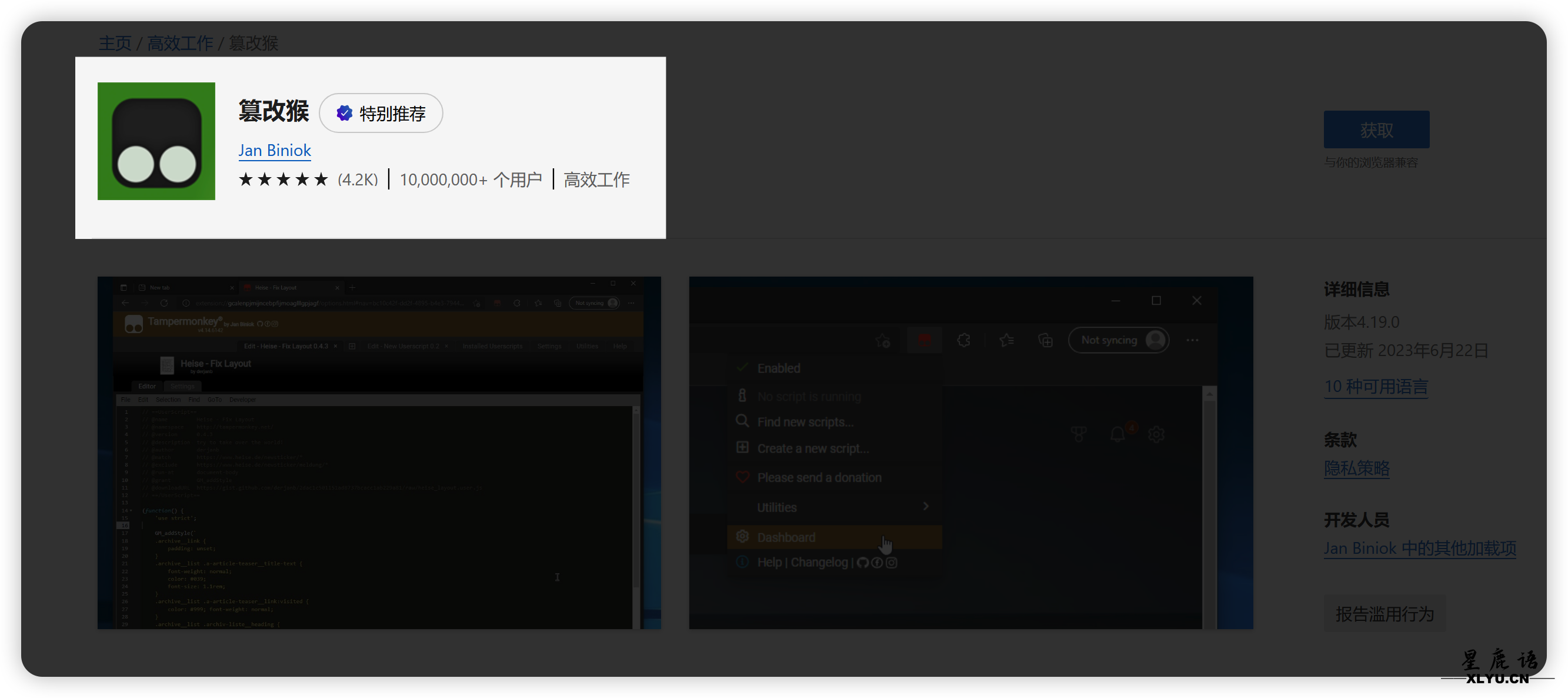
简介:当今社会,随着互联网的迅猛发展,人们获取信息和娱乐的方式也愈发多样化。在这个数字化时代,浏览器不仅是我们日常网络冲浪的工具,更成为了一扇开启无限可能的窗口。
无需担心会员费用,不必因为地域限制而苦恼,浏览器免费观影为我们提供了一个轻松、便捷的娱乐选择。
传感网应用开发TMP计算题目
简介:题目 已知TMP=0x49; TMP|= (5<<3); 则TMP对应的十进制可表示为( )。
A、 49 B、105 C、114 D、157解析1.列二进制 0x49 > 0100 1001B
5D > 101B2.|=表示或5<<3 <<3 表示向左移动三位,即向右添加3个0
即:1010004.计算位数不够从左开始补0 01001001
00101000
01101001 >0110 1001 > 69H > 6*16+9=105D