

150

分类:
技术
简介:LanguageHelper.swift import Foundation
struct LanguageHelper {
/// 获取当前系统语言代码 (ISO 639 1)
static func currentLanguageCode() > String {
return Locale.current.language.languageCode?.identifier ?? "未知"
}
/// 获取当前系统地区 (ISO 3166 1)
static func currentRegionCode() > String {
return Locale.current.region?.identifier ?? "未知"
}
/// 获取 App 首选语言(取决于 Info.plist 里配置的 Localizations)
static func appPreferredLanguage() > String {
return Bundle.main.preferredLocalizations.first ?? "未知"
}
/// 获取系统语言优先级列表
static func systemPreferredLanguages() > [String] {
return Locale.preferredLanguages
}
/// 打印常用信息
static func debugPrintLanguages() {
print("🌐 系统语言代码: \(currentLanguageCode())")
print("📍 系统地区代码: \(currentRegionCode())")
print("📱 App 首选语言: \(appPreferredLanguage())")
print("🗂 系统语言优先级列表: \(systemPreferredLanguages())")
}
}
调用 LanguageHelper.debugPrintLanguages()
// 也可以单独调用
let lang = LanguageHelper.currentLanguageCode()
let region = LanguageHelper.currentRegionCode()
151

分类:
简介:解释TimeZone(secondsFromGMT: 0) 代表 相对于格林威治时间 (GMT) 偏移 0 秒,也就是 UTC 时区。举例let date = Date() // 假设现在是北京时间 18:00 (GMT+8)
// 默认情况下,格式化器会用本地时区 (GMT+8)
let localFormatter = DateFormatter()
localFormatter.dateFormat = "yyyy MM dd HH:mm:ss"
print(localFormatter.string(from: date))
// 输出: 2025 09 17 18:00:00
// 如果强制用 UTC (GMT+0)
let utcFormatter = DateFormatter()
utcFormatter.dateFormat = "yyyy MM dd HH:mm:ss"
utcFormatter.timeZone = TimeZone(secondsFromGMT: 0)
print(utcFormatter.string(from: date))
// 输出: 2025 09 17 10:00:00你会发现,同一个 Date,在本地时区是 18:00,但在 UTC 时区会显示 10:00。
166

分类:
简介:报错代码 error: RPC failed; curl 18 Transferred a partial file
fetch pack: unexpected disconnect while reading sideband packet
fatal: early EOF解决方案增大 HTTP buffer 缓冲区git config global http.postBuffer 524288000http.postBuffer 的默认值只有 1MB。这里设置成 524288000(≈500MB),就是允许 Git 在传输时用更大的缓冲,避免下载大文件/大仓库时中途断开。强制使用 HTTP/1.1git config global http.version HTTP/1.1Git 默认可能用 HTTP/2,但有时候 GitHub/GitLab 的 HTTP/2 连接会有兼容性问题。改成 HTTP/1.1 更稳定。禁用低速限制git config global http.lowSpeedLimit 0
git config global http.lowSpeedTime 999999http.lowSpeedLimit:如果下载速度低于多少 KB/s 就认为失败。默认是 1 KB/s。http.lowSpeedTime:持续多少秒低速就断开。默认是 30s。这两条命令相当于:不管多慢,只要不断就继续下载。
160
分类:
技术
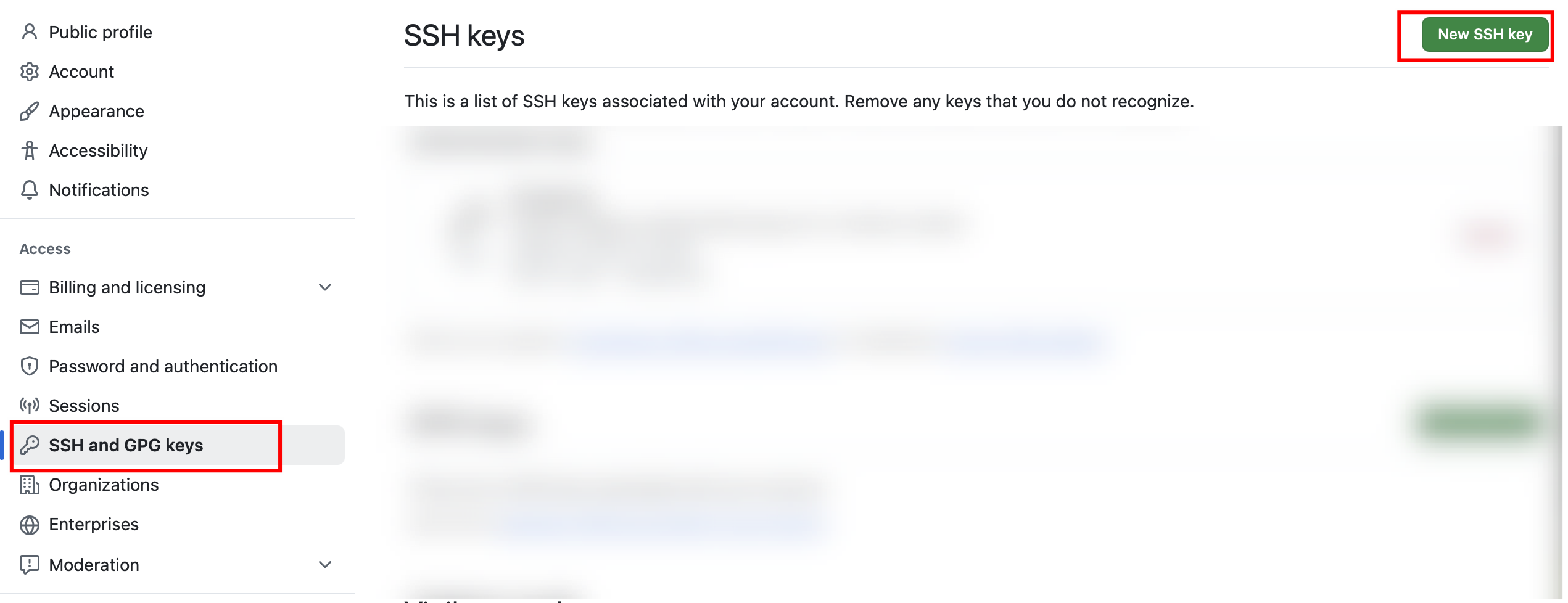
简介:报错部分代码remote: Invalid username or token. Password authentication is not supported for Git operations.解决步骤生成GitHub专用密钥 ssh keygen t ed25519 C "你的GitHub邮箱" f ~/.ssh/id_ed25519_github查看并复制公钥 cat ~/.ssh/id_ed25519_github.pub在GitHub上面保存公钥测试连接 ssh T git@github.com其他错误SSH 服务未启动或端口被屏蔽Connection closed by...port 22解决步骤编辑 ~/.ssh/config 文件(如果没有,可以创建一个) nano ~/.ssh/config添加以下内容 Host github.com
HostName ssh.github.com
User git
Port 443SSH 密钥未正确加载、GitHub 没有正确添加公钥、或者配置不正确等git@ssh.github.com: Permission denied (publickey)解决步骤先使用下面的命令查看 SSH 代理是否已加载你的私钥 ssh add l ssh add ~/.ssh/id_ed25519_github